

QuickBooks Desktop Cloud Hosting Solutions for Seamless Accounting
In today’s fast-paced business environment, efficient accounting practices are crucial for success. QuickBooks, a leading accounting software, offers various solutions tailored to meet the diverse needs of businesses. Among these, QuickBooks Desktop Cloud Hosting emerges as a powerful option that combines the robustness of desktop software with the flexibility of cloud technology. This article explores the intricacies of QuickBooks Desktop Cloud Hosting, its benefits, and how businesses can leverage it for seamless accounting.
What is QuickBooks Desktop Cloud Hosting?
Understanding QuickBooks Hosting
QuickBooks Desktop Cloud Hosting refers to the process of hosting the QuickBooks desktop software on a cloud server, allowing users to access their QuickBooks company files from anywhere with an internet connection. This innovative solution integrates with QuickBooks and enables businesses to utilize their existing desktop software while benefiting from the flexibility and scalability of cloud technology. By hosting QuickBooks on a virtual desktop, users can ensure that their accounting tasks are not limited by geographical constraints, making it easier to collaborate with teams and clients.
Benefits of Cloud Hosting for QuickBooks Desktop
The benefits of cloud hosting for QuickBooks Desktop are numerous. First and foremost, it offers enhanced accessibility. Users can access their QuickBooks files from any device, whether they are in the office, at home, or on the go. This level of accessibility ensures that business owners and accountants can manage their finances in real-time, promoting timely decision-making. Additionally, QuickBooks cloud hosting provides improved data security. Hosting providers often implement robust security measures, safeguarding sensitive financial information against unauthorized access and cyber threats.
Key Features of Cloud Hosted QuickBooks
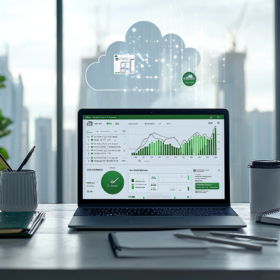
Cloud-hosted QuickBooks offers several key features that set it apart from traditional desktop setups. One significant feature is automatic updates, which ensures that users always have access to the latest version of QuickBooks, including any enhancements and new features that become available. Furthermore, cloud hosting enhances collaboration by allowing multiple users to access QuickBooks simultaneously, facilitating teamwork and improving productivity. Lastly, businesses can enjoy seamless backups as hosting providers typically include automated backup services, ensuring that QuickBooks company files are safe and recoverable in case of data loss.
How Does QuickBooks Enterprise Benefit from Cloud Access?
Integrating Cloud Access with QuickBooks Enterprise
QuickBooks Enterprise is designed for larger businesses with complex accounting needs, and integrating cloud access with this version of QuickBooks significantly enhances its capabilities. By utilizing cloud access, businesses can improve their operational efficiency, as remote teams can access QuickBooks Desktop Enterprise with cloud access from various locations. This integration allows for real-time updates to financial data, making it easier for managers to monitor performance and make informed decisions. Moreover, it simplifies the process of sharing the QuickBooks company file with external accountants or stakeholders.
Pricing Options for QuickBooks Enterprise with Cloud
When considering QuickBooks Enterprise with cloud hosting, businesses have various pricing options to explore. Typically, the pricing structure involves a subscription model, where companies pay a monthly fee based on the number of users and the specific features they require. It’s essential to assess the needs of the business to determine the most cost-effective plan. Some hosting providers may offer discounts for annual subscriptions or bundle services, which can lead to significant savings over time.
Using QuickBooks Desktop Enterprise in the Cloud
Using QuickBooks Desktop Enterprise in the cloud provides businesses with an enhanced experience that combines the powerful features of the desktop version with the advantages of cloud technology. This setup allows for efficient time tracking and management of financial data, which is particularly beneficial for companies with multiple departments or locations. With QuickBooks time elite functionality available in QuickBooks Desktop Enterprise, teams can seamlessly track time and expenses, leading to improved project management and accountability.
What are the Advantages of Using QuickBooks Online vs. QuickBooks Desktop?
QuickBooks Online Features Compared to Desktop Version
While QuickBooks Desktop remains a popular choice, QuickBooks Online offers unique features that cater to a different set of needs. QuickBooks Online is designed for businesses that require flexibility and mobility, as it is entirely cloud-based. Users can access their accounts from any internet-enabled device without installing software, making it an attractive option for those who travel frequently or have remote teams. However, QuickBooks Desktop provides a more robust set of features, particularly for advanced reporting and customization, which may be critical for larger enterprises.
Time Tracking Capabilities in Both Versions
Time tracking is a vital aspect of accounting for many businesses, and both versions of QuickBooks offer time tracking capabilities. QuickBooks Online includes features that allow users to track billable hours, whereas QuickBooks Desktop has more advanced time tracking solutions integrated into its system. For businesses that rely heavily on time-sensitive projects, the enhanced time tracking capabilities available in QuickBooks Desktop may prove invaluable. However, the cloud-based nature of QuickBooks Online facilitates easier access to these features from any location, making it more convenient for teams working remotely.
Choosing the Right Version of QuickBooks for Your Business
Deciding between QuickBooks Online and QuickBooks Desktop ultimately depends on the specific needs of the business. Factors to consider include the size of the company, the complexity of its accounting operations, and the level of mobility required. Businesses that require extensive customization and detailed reporting may find QuickBooks Desktop more suitable, while those needing flexibility and remote access may benefit more from QuickBooks Online. Understanding these distinctions can help businesses make informed choices regarding which version of QuickBooks will best serve their accounting needs.
How to Choose the Right Hosting Provider for QuickBooks?
Factors to Consider When Selecting a Hosting Service
Choosing the right hosting provider for QuickBooks is a critical decision that can significantly impact a business’s accounting efficiency. Several factors should be considered, including the provider’s reputation, the level of customer support offered, and the specific features available in their hosting service. It is also essential to evaluate the provider’s data security measures, ensuring they can protect sensitive financial information. Additionally, businesses should consider the scalability of the hosting solution to accommodate future growth.
Intuit Authorized Hosting Providers: What You Need to Know
Intuit authorized hosting providers are companies that have been vetted and approved by Intuit to host QuickBooks software. Choosing a hosting provider that is authorized by Intuit ensures that the hosting service meets specific standards of reliability and security. These providers often offer additional benefits, such as enhanced support and guaranteed compatibility with QuickBooks updates. Businesses looking for peace of mind in their QuickBooks hosting should prioritize working with an Intuit authorized provider.
Comparing Different Hosting Providers for QuickBooks
When comparing different hosting providers for QuickBooks, businesses should conduct thorough research to assess the offerings of each provider. Key areas to evaluate include pricing, features, customer reviews, and the level of technical support available. It’s beneficial to request demos or trial periods to understand how well the provider’s services integrate with QuickBooks and whether they meet the company’s specific needs. A well-informed comparison can lead to choosing a hosting provider that enhances the overall QuickBooks experience.
What is the Pricing for QuickBooks Desktop Enterprise with Cloud Hosting?
Understanding the Cost Structure for QuickBooks Hosting
The cost structure for QuickBooks Desktop Enterprise with cloud hosting typically varies based on the hosting provider and the features included in the service. Businesses can expect to encounter a range of pricing options that may depend on the number of users, the level of support required, and any additional services like backup and security measures. Understanding these factors can help businesses budget effectively for their QuickBooks hosting needs.
Hidden Costs to Watch Out for in Cloud Hosting Services
While cloud hosting services can offer significant advantages, businesses should be aware of potential hidden costs that may arise. These can include fees for additional users, charges for extra storage space, or costs associated with technical support and maintenance. It is crucial for businesses to thoroughly review the terms and conditions of their hosting agreement to identify any potential additional charges that could impact their overall investment in QuickBooks hosting.
Maximizing Value with Your QuickBooks Hosting Investment
To maximize the value of QuickBooks hosting, businesses should take advantage of all the features provided by their hosting service. This includes utilizing advanced security measures, exploring collaboration tools, and ensuring that all team members are well-versed in accessing QuickBooks remotely. By actively engaging with the hosting provider and leveraging the full range of services offered, businesses can enhance their accounting processes and achieve a better return on their investment in QuickBooks cloud hosting.
FAQ
Q: What is quickbooks cloud hosting?
A: QuickBooks cloud hosting refers to the process of hosting your QuickBooks software on a secure cloud server, allowing you to access your QuickBooks applications and data from anywhere with an internet connection.
Q: How can I integrate with QuickBooks using cloud hosting?
A: You can integrate with QuickBooks by using third-party applications that are compatible with QuickBooks cloud hosting, which facilitates data synchronization and enhances functionality across platforms.
Q: What is the difference between Desktop Enterprise with cloud access and hosted QuickBooks Desktop?
A: Desktop Enterprise with cloud access provides enhanced features and capabilities specifically designed for enterprise-level users, while hosted QuickBooks Desktop simply allows access to the software through cloud servers without the additional enterprise functionalities.
Q: What are the benefits of QuickBooks Enterprise with cloud access?
A: The benefits of QuickBooks Enterprise with cloud access include improved collaboration, enhanced data security, remote access to your QuickBooks product, and the ability to work from multiple locations seamlessly.
Q: Can I access my QuickBooks Premier through quickbooks pro cloud hosting?
A: Yes, you can access your QuickBooks Premier through QuickBooks Pro cloud hosting as long as you have the appropriate licenses and subscriptions to access your QuickBooks product.
Q: How does desktop hosting work for QuickBooks?
A: Desktop hosting for QuickBooks works by uploading your QuickBooks software and data to a cloud server, which allows you to access your QuickBooks desktop applications remotely via a secured connection.
Q: Is there support for QuickBooks when using enterprise with hosting?
A: Yes, when using enterprise with hosting, you typically receive dedicated support for QuickBooks, which can assist you with any technical issues or questions related to your hosted QuickBooks environment.
Q: What do I need to consider before subscribing to QuickBooks on cloud?
A: Before subscribing to QuickBooks on cloud, consider the level of remote access you need, the specific QuickBooks versions you require, the number of users, and the security features offered by the hosting provider.
Q: How does the mobile app work with iPhone in relation to QuickBooks cloud hosting?
A: The mobile app works with iPhone by allowing users to access their QuickBooks data remotely, enabling them to manage transactions, view reports, and perform other accounting tasks directly from their mobile devices when using QuickBooks cloud hosting.
Q: Can I host my QuickBooks Desktop Enterprise Platinum on the cloud?
A: Yes, you can host QuickBooks Desktop Enterprise Platinum on the cloud, which allows for enhanced accessibility, collaboration, and data security while using the software.
