

QuickBooks Cloud Hosting for Desktop: Top Hosting Providers & Plans
In today’s fast-paced business environment, leveraging technology is essential for maintaining competitiveness. One of the most significant advancements in accounting software is the migration of traditional desktop applications to the cloud. QuickBooks Cloud Hosting for Desktop represents a pivotal shift in how businesses manage their financial data. This article explores the nuances of QuickBooks cloud hosting, its benefits, how to choose the right provider, available plans, and security considerations.
What is QuickBooks Cloud Hosting and How Does It Work?
Understanding QuickBooks Cloud Hosting
QuickBooks Cloud Hosting is a solution that enables users to access their QuickBooks Desktop applications remotely over the internet. Instead of being confined to a single workstation, businesses can host QuickBooks on a cloud server, allowing for greater flexibility and mobility. This means that employees can access QuickBooks from any device with an internet connection, thus enhancing productivity. Hosting service providers facilitate this by offering virtual desktops that mirror the functionality of the traditional desktop software while allowing for real-time collaboration and data management.
How Does QuickBooks Desktop Work on the Cloud?
Using QuickBooks Desktop in the cloud involves a simple yet effective process. The QuickBooks desktop version is installed on a secure cloud server managed by a hosting service provider. Users can access QuickBooks via a remote desktop connection, which allows them to interact with the software as if it were installed locally on their computers. This cloud-based infrastructure ensures that all QuickBooks data is stored securely and can be accessed from anywhere, thereby transforming how businesses use QuickBooks. With a reliable internet connection, users can seamlessly navigate through their QuickBooks product, making it easier to manage finances, generate reports, and collaborate with team members.
Key Features of QuickBooks Cloud Hosting Services
QuickBooks cloud hosting services come packed with numerous features tailored to meet business needs. These features include automatic backups, enhanced security protocols, and multi-user access, which allows multiple team members to work within QuickBooks simultaneously. Additionally, hosting solutions often provide scalable resources, enabling businesses to increase their capacity based on growth or fluctuating demands. Many hosting providers also offer 24/7 technical support for QuickBooks, ensuring that any issues can be resolved quickly, minimizing downtime and disruptions.
What Are the Benefits of QuickBooks Cloud Hosting for Businesses?
Enhancing Accessibility with Cloud Access
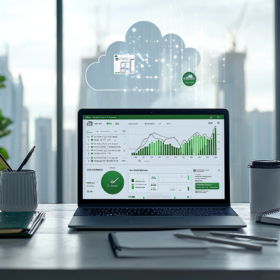
One of the primary benefits of QuickBooks Cloud Hosting is enhanced accessibility. With cloud access, employees can use QuickBooks from virtually anywhere, whether it be at home, in the office, or on the go. This flexibility is particularly advantageous for businesses with remote workers or those that require access to quickbooks data during travel. By allowing users to access QuickBooks from various devices, companies can ensure that their financial operations remain uninterrupted and efficient, regardless of location.
Cost-Effectiveness of Hosting Solutions for QuickBooks
Cost-effectiveness is another compelling reason businesses turn to QuickBooks cloud hosting. Traditional desktop installations often incur high upfront costs for licenses and hardware. In contrast, hosting solutions typically operate on a subscription model, which can significantly reduce initial expenses. Moreover, businesses can save on IT costs since hosting providers maintain the infrastructure and handle updates. This leads to better resource allocation, allowing companies to invest in other areas critical to their growth.
Improving Collaboration with a Virtual Desktop
Collaboration is essential for any business, and QuickBooks cloud hosting enhances this through its virtual desktop capabilities. Multiple users can access QuickBooks simultaneously, allowing teams to work together in real-time, regardless of their geographical location. This feature is especially useful for accountants, financial analysts, and project managers who often need to share insights and updates. Improved collaboration ensures that everyone stays on the same page, leading to more informed decision-making and streamlined operations.
How to Choose the Right Hosting Provider for QuickBooks Desktop?
Factors to Consider When Selecting a Hosting Service Provider
Choosing the right hosting service provider for QuickBooks desktop is crucial. Several factors should be considered, including the provider’s experience with QuickBooks products, the level of customer support offered, and the reliability of their cloud infrastructure. Additionally, businesses should evaluate the security measures in place, such as data encryption and compliance with industry standards. It’s also important to consider the scalability of the hosting solutions offered—whether they can grow with the business’s needs.
Top Hosting Providers for QuickBooks Cloud Hosting
Several top hosting providers are renowned for their QuickBooks cloud hosting services. Providers like Ace Cloud Hosting, Right Networks, and Summit Hosting have established themselves as reliable options in the market. Each offers tailored plans to suit different business sizes and needs, whether it’s QuickBooks Pro Plus for small businesses or QuickBooks Desktop Enterprise for larger organizations. Evaluating these options can help businesses find the best fit for their specific requirements.
Comparing Hosting Plans for QuickBooks Desktop Enterprise
When comparing hosting plans for QuickBooks Desktop Enterprise, it’s essential to look at the differences in features, pricing, and support. Various hosting service providers offer different configurations, from basic plans to more comprehensive solutions that include additional features such as dedicated servers and enhanced security protocols. Businesses should assess their unique needs and how each plan aligns with their operational goals to ensure they select the most appropriate QuickBooks hosting solution.
What Are the Different Plans for QuickBooks Cloud Hosting?
Understanding QuickBooks Desktop Enterprise Plans
QuickBooks Desktop Enterprise plans are designed specifically for larger businesses that require advanced features and functionalities. These plans offer enhanced reporting capabilities, customizable user access, and dedicated customer support. Additionally, QuickBooks Desktop Enterprise Platinum further elevates the experience by providing additional features like advanced inventory management and enhanced payroll options. Understanding the specifics of these plans is crucial for businesses looking to maximize their QuickBooks investment.
Hosting Plans for QuickBooks Online vs. QuickBooks Desktop
When considering hosting plans, it’s important to distinguish between QuickBooks Online and QuickBooks Desktop. While QuickBooks Online is inherently cloud-based, QuickBooks Desktop requires hosting to leverage cloud benefits. Hosting plans for QuickBooks Desktop typically include more robust support and security features, while QuickBooks Online plans focus on ease of use and accessibility. Businesses should evaluate their specific needs to determine which option aligns best with their operational model.
Customizable Hosting Solutions Based on Business Needs
Customizable hosting solutions are a key advantage of QuickBooks cloud hosting. Providers often allow businesses to tailor their hosting packages based on specific requirements, such as the number of users, storage capacity, and desired features. This flexibility ensures that businesses can find a solution that perfectly aligns with their operational needs, making it easier to manage costs while maximizing the functionality of their QuickBooks desktop software.
How Secure is QuickBooks Cloud Hosting?
Security Measures Implemented by Hosting Providers
Security is a paramount concern for businesses when considering QuickBooks cloud hosting. Leading hosting providers implement robust security measures, including firewalls, secure data centers, and regular security audits. Data encryption protocols ensure that sensitive QuickBooks data is protected during transmission and storage, minimizing the risk of unauthorized access. Additionally, comprehensive backup solutions safeguard against data loss, providing peace of mind for businesses that rely on QuickBooks for their financial operations.
Data Protection in Cloud-Hosted QuickBooks
Data protection in cloud-hosted QuickBooks is facilitated through a combination of advanced technologies and best practices. Hosting service providers often employ redundant systems and failover strategies to ensure data integrity. Regular backups and automated recovery processes help protect against data loss, while strict access controls ensure that only authorized personnel can access QuickBooks data. These measures collectively enhance the reliability and security of QuickBooks hosting solutions.
Authorized Hosting and Compliance with Intuit QuickBooks Standards
Finally, authorized hosting providers comply with Intuit QuickBooks standards, ensuring that businesses receive a solution that meets industry benchmarks for performance and security. Compliance with these standards guarantees that the hosting service provider is equipped to handle QuickBooks data appropriately. This authorization signifies a level of trust and reliability that businesses can rely on, ensuring that their QuickBooks investment is protected and optimized for success.
FAQ
Q: What is QuickBooks Cloud Hosting for Desktop?
A: QuickBooks Cloud Hosting for Desktop allows users to access their QuickBooks software and data over the internet, enabling them to work remotely while benefiting from the capabilities of QuickBooks desktop versions.
Q: How does hosting for QuickBooks work?
A: Hosting for QuickBooks involves storing your QuickBooks application and data on a cloud server managed by a QuickBooks hosting provider. This allows you to access your QuickBooks environment from any device with an internet connection.
Q: What are the benefits of QuickBooks Enterprise with hosting?
A: The benefits of QuickBooks Enterprise with hosting include enhanced accessibility, improved collaboration among multiple users, increased data security, automatic backups, and the ability to work from anywhere, which maximizes productivity.
Q: Can I use QuickBooks on the cloud with different versions of QuickBooks?
A: Yes, you can use QuickBooks on the cloud with various versions of QuickBooks, including QuickBooks Desktop Pro and QuickBooks Enterprise. However, it’s essential to ensure that your hosting provider supports the specific version of QuickBooks you intend to use.
Q: What should I look for in a QuickBooks hosting provider?
A: When selecting a QuickBooks hosting provider, consider factors such as their uptime guarantees, customer support, security measures, compatibility with your QuickBooks version, and the pricing of their QuickBooks hosting plans.
Q: How do I access my QuickBooks in a cloud-based environment?
A: To access your QuickBooks in a cloud-based environment, simply log in to your hosting provider’s platform using your credentials. From there, you can seamlessly access your QuickBooks application and files from any device.
Q: What is the pricing model for QuickBooks cloud hosting services?
A: QuickBooks cloud pricing typically involves a monthly subscription that varies based on the features you require, the number of users, and the specific QuickBooks hosting service plan you choose.
Q: Are there any specific requirements to host QuickBooks?
A: Yes, to host QuickBooks, you need a valid QuickBooks license, a reliable internet connection, and a compatible device. Additionally, ensure that your hosting provider meets the technical requirements for the version of QuickBooks you are using.
Q: What are the advantages of using a cloud desktop for QuickBooks?
A: The advantages of using a cloud desktop for QuickBooks include increased flexibility and mobility, enhanced collaboration features, robust security protocols, and the elimination of the need for local hardware maintenance.
Q: How can I benefit from QuickBooks cloud hosting?
A: You can benefit from QuickBooks cloud hosting by gaining real-time access to your financial data, streamlining workflows, reducing IT costs, improving data collaboration, and ensuring data security through regular backups and updates.
