
Ultimate Guide to Accessing QuickBooks Desktop Remotely: Benefits of QuickBooks Hosting
In today’s fast-paced travel industry, financial management is paramount for success. Travel agencies are increasingly turning to technology to streamline operations and enhance productivity. One of the most effective solutions is QuickBooks, a powerful accounting software. However, accessing QuickBooks Desktop remotely can pose challenges without the right infrastructure. This guide explores the benefits of QuickBooks hosting, detailing how it allows users to access QuickBooks Desktop from anywhere, enhancing operational efficiency for travel agents and businesses.
What is QuickBooks Hosting and How Does It Work?
Understanding QuickBooks Hosting
QuickBooks hosting is a cloud-based solution that allows users to access QuickBooks Desktop remotely through a virtual desktop environment. Unlike traditional installations that require users to be physically present in an office, QuickBooks hosting provides the flexibility to manage financial data from any location with an internet connection. This service is provided by specialized hosting providers that ensure the QuickBooks software is properly installed and maintained on secure servers. By leveraging cloud technology, travel agencies can now enjoy the full capabilities of QuickBooks Desktop and QuickBooks Online without being tethered to a specific location.
How QuickBooks Hosting Enhances Remote Access
QuickBooks hosting enhances remote access by enabling travel agents and accountants to work from anywhere, whether at home, in transit, or at client locations. This is particularly beneficial for travel agencies that require real-time access to financial data to make informed decisions. When users access QuickBooks through a remote desktop environment, they can view, edit, and manage their financial information seamlessly. Additionally, QuickBooks hosting ensures that all users can collaborate efficiently, as the same version of the software is accessible to multiple users simultaneously, eliminating discrepancies and enhancing teamwork.
Key Features of QuickBooks Hosting Solutions
Several key features distinguish QuickBooks hosting solutions, making them attractive for travel agencies. Firstly, scalability is a significant advantage; as a travel business grows, it can easily upgrade its hosting service to accommodate more users or additional features. Secondly, enhanced security measures are implemented by hosting providers to protect sensitive financial data. This includes encryption, regular backups, and robust authentication protocols. Lastly, most QuickBooks hosting services offer 24/7 technical support, ensuring that any issues can be resolved quickly, allowing travel agents to focus on their core business activities rather than technical difficulties.
What Are the Benefits of Hosting QuickBooks for Travel Agencies?
Improved Financial Management for Travel Businesses
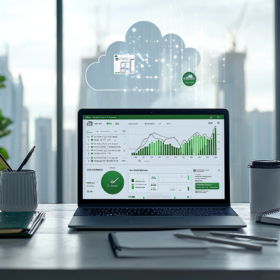
For travel agencies, efficient financial management is crucial. Hosting QuickBooks allows these businesses to manage their accounting tasks more effectively. With the ability to access QuickBooks data remotely, travel agents can perform real-time financial analysis, generate reports, and monitor cash flow from anywhere. This flexibility not only enhances decision-making but also leads to improved financial oversight, enabling agencies to respond promptly to changing market conditions.
Streamlined Operations with QuickBooks Desktop
QuickBooks Desktop, when hosted, integrates seamlessly with other operational tools used by travel agencies. This integration facilitates streamlined operations, as agents can manage bookings, pricing, and client information alongside financial data. By using QuickBooks as a central hub for all accounting and business operations, travel agents can significantly reduce the time spent on administrative tasks, allowing them to focus on providing exceptional service to their clients.
Cost-Effectiveness of QuickBooks Hosting Solutions
Investing in QuickBooks hosting can be a cost-effective solution for travel agencies. Instead of maintaining expensive on-premises infrastructure, agencies can rely on a cloud hosting provider to manage their software and data. This model reduces overhead costs associated with hardware maintenance and software updates. Additionally, the pay-as-you-go pricing models offered by many hosting providers allow travel agencies to scale their usage according to their needs, optimizing their budget and ensuring they only pay for what they use.
How to Access QuickBooks Desktop Remotely?
Steps to Access QuickBooks in the Cloud
Accessing QuickBooks Desktop remotely is straightforward when using a hosting service. The first step is to choose a reputable QuickBooks cloud hosting provider that meets the specific needs of your travel agency. Once you have set up QuickBooks with the provider, you will receive login credentials to access your virtual desktop. Simply log in to the hosting service’s platform through a web browser or remote desktop application, and you will be able to use QuickBooks just as you would on your local machine. With this setup, you can easily manage your financial data regardless of your physical location.
Using Remote Access Software for QuickBooks
In addition to hosting services, travel agencies can also utilize remote access software to access QuickBooks Desktop. This approach involves installing remote desktop software that allows users to connect to a specific computer where QuickBooks is installed. While this method can work, it often requires more technical expertise and may not offer the same level of reliability and security as dedicated QuickBooks hosting services. Travel agents should weigh the pros and cons before deciding which method best fits their operational needs.
Best Practices for Secure Remote Access
When accessing QuickBooks remotely, security should be a primary concern for travel agencies. Implementing best practices for secure remote access is essential to safeguard sensitive financial information. Agencies should ensure that they use strong, unique passwords and enable two-factor authentication where possible. Regularly updating software and operating systems can also help protect against vulnerabilities. Additionally, using a Virtual Private Network (VPN) when accessing QuickBooks can further enhance security by encrypting the connection, making it difficult for unauthorized users to intercept data.
What Should You Look for in a QuickBooks Hosting Provider?
Evaluating the Reliability of Hosting Providers
When selecting a QuickBooks hosting provider, reliability is a critical factor. Potential users should look for providers that offer a high uptime guarantee, ensuring that QuickBooks is accessible whenever needed. Reading customer reviews and testimonials can provide insight into the provider’s performance and reliability. Additionally, inquire about the provider’s data center locations and infrastructure to ensure that they adhere to industry standards for security and performance.
Understanding Support Services Offered by Providers
Support services are another crucial aspect to consider when choosing a QuickBooks hosting provider. Strong technical support can make a significant difference, especially for travel agencies that may encounter issues outside of regular business hours. Look for hosting services that provide 24/7 customer support through multiple channels, including phone, email, and live chat. Additionally, consider whether the provider offers onboarding assistance and training, which can be invaluable for new users to get accustomed to the system.
Comparing Pricing Models for QuickBooks Hosting
Different QuickBooks hosting providers offer various pricing models, making it essential for travel agencies to compare costs before making a decision. Some providers charge a flat monthly rate, while others may offer pay-per-use pricing. It is also important to understand what features are included in the pricing, such as the number of users allowed, backup services, and security features. By thoroughly evaluating pricing models, travel agencies can find a hosting solution that meets their budgetary needs without compromising on quality or support.
How Does QuickBooks Hosting Improve Payroll Management?
Integrating Payroll Software with QuickBooks
Integrating payroll software with QuickBooks is a significant benefit for travel agencies using hosted QuickBooks solutions. By synchronizing payroll data with QuickBooks, agencies can simplify their payroll processes and ensure that all financial data is up-to-date. This integration allows travel agents to manage employee hours, calculate wages, and process payroll seamlessly. Furthermore, having all payroll information in one location enhances the accuracy of financial reporting and helps agencies maintain compliance with tax laws and regulations.
Benefits of Remote Payroll Access for Travel Agents
Remote payroll access is particularly advantageous for travel agents who often work outside traditional office environments. With QuickBooks hosting, agents can access payroll information from anywhere, enabling them to approve payroll runs, manage employee inquiries, and ensure timely payments without being tied to a specific location. This flexibility is invaluable in the travel industry, where agents may be on the go and need to handle payroll matters quickly and efficiently.
Automation and Accuracy in Payroll Processing
QuickBooks hosting also enhances automation in payroll processing, which is critical for reducing errors and saving time. Automated payroll calculations minimize the chances of mistakes that can occur with manual entry, ensuring that employees are paid accurately and on time. Additionally, hosted QuickBooks solutions often provide features such as automatic tax calculations and integrated compliance updates, further streamlining the payroll process for travel agencies. This level of accuracy and efficiency allows agencies to focus on their core business, ultimately leading to improved employee satisfaction and retention.
FAQ
Q: How can I access QuickBooks Desktop remotely?
A: You can access QuickBooks Desktop remotely through cloud hosting services that allow you to install QuickBooks on a secured server. This enables users to access their accounting software from any location using an internet connection.
Q: What are the benefits of using QuickBooks hosting?
A: QuickBooks hosting provides a secure environment for your accounting data, allowing multiple quickbooks users to collaborate seamlessly. It also ensures that your quickbooks files are backed up regularly and accessible from anywhere.
Q: Is QuickBooks hosting suitable for a travel agency?
A: Yes, QuickBooks hosting is an excellent quickbooks solution for travel agencies. It allows travel agency’s staff to access financial records and accounting data remotely, making it easier to manage transactions and reports.
Q: Can I use QuickBooks Enterprise with cloud hosting?
A: Absolutely! QuickBooks Enterprise can be used with cloud hosting services, providing you with the benefits of accessing the desktop version of QuickBooks from any workstation.
Q: What types of accounting solutions can QuickBooks hosting offer?
A: QuickBooks hosting can offer a variety of accounting solutions, including file sharing, collaborative features, and enhanced data security, making it ideal for businesses that rely on accounting software.
Q: How do I install QuickBooks in a cloud environment?
A: To install QuickBooks in a cloud environment, you need to choose a cloud hosting provider, set up your account, and then upload your QuickBooks installation files. The provider will assist you in configuring the software for your needs.
Q: Can I access my QuickBooks files from multiple devices?
A: Yes, with QuickBooks hosting, you can access your QuickBooks files from multiple devices as long as you have internet access. This flexibility is particularly beneficial for quickbooks users who are on the go.
Q: What security measures are in place for QuickBooks hosting?
A: Cloud hosting services implement various security measures, including data encryption, firewalls, and regular backups, to ensure that your accounting data remains safe and secure within the QuickBooks environment.
Q: How does cloud hosting improve collaboration among team members?
A: Cloud hosting improves collaboration by allowing multiple users to access the same QuickBooks files simultaneously, facilitating real-time communication and updates, which is essential for teams working in different locations.
